
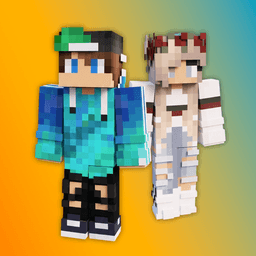
Screenshots
About SkinLand - skins for Minecraft
Minecraft skins let you express your style on any server. SkinLand gives you access to a massive collection of ready-made skins plus a powerful 3D editor to create exactly what you envision.
Browse trending skins across every aesthetic — from competitive PvP and Bedwars designs to anime, cyberpunk, and popular culture styles. Use smart filters to narrow by model (Steve or Alex), resolution (64x64 or 128x128), and color palette. Find your next skin in seconds, save favorites to your collection, and download with a single tap.
The built-in 3D skin editor transforms your creative ideas into fully customized skins without needing external software. Work with real-time preview so you see changes instantly as you paint, layer, and refine every detail. Both classic and high-resolution formats are supported, and the intuitive toolset makes designing fast whether you're making minor tweaks or building something from scratch. Export finished skins directly to your gallery and organize them into custom skinpacks.
Stay ahead of trends with curated sections like Top Views and Weekly Top, which highlight what other players are creating and wearing. The app works with all Minecraft versions, mods, and add-ons, so your new skin integrates seamlessly into your existing setup.
SkinLand - skins for Minecraft puts professional skin creation within reach of every player, from newcomers to experienced builders.
Pros & Cons
Pros
- Built-in 3D editor eliminates need for external design software
- Real-time preview lets you see skin changes instantly while editing
- Smart filters narrow results by model, resolution, and color palette quickly
- Works with all Minecraft versions, mods, and add-ons seamlessly
Cons
- Requires internet connection to browse and download skins from library
- Android-only app with no iOS or desktop version available
- 3D editor may have steep learning curve for non-designer players
- Account or login likely required to save favorites and organize skinpacks
Related Apps

AlienGUIse
Desktop themes and manager for Windows — transform your system with 5 futuristic designs.

SharpKeys
Remap keyboard keys to launch apps, media controls, and custom commands on Windows.

RocketDock
Desktop launcher for Windows — quick access dock with customizable icons and positioning.

Custom Resolution Utility (CRU)
Display resolution utility: Create custom resolutions for your monitor with precise refresh rate control.

Lagguy Wallpapers
Lagguy
4K & HD wallpapers for Android — minimal, abstract, nature, AMOLED designs with lifetime access

Lock Screen OS
Apps Genz
Customize your lock screen with widgets, photos, and notifications. Replace Android's default lock screen.
Latest Articles
Best Adobe Audition alternatives for desktop in 2026 (7 tested)
Jul 10, 2026

Best Adobe Podcast alternatives for desktop in 2026 (we tested 7)
Jul 10, 2026
Best AI computer-use agent apps for desktop in 2026 (we tested 7)
Jul 10, 2026

Best aimasukptn alternatives in 2026 (we tested 7)
Jul 10, 2026
Best Apple TV+ alternatives on desktop in 2026 (7 streaming services)
Jul 10, 2026